Attribution
:::info New in 2026 The ability to add attributions to projects was introduced in 2026. :::
In the Riverscapes Data Exchange, every project has a single administrative Owner, which can be an individual user or an organization. Certain privileges, such as deleting the project, are restricted to this administrative Owner.
Recognizing that projects may have contributions from many organizations, the attributions feature allows projects to ascribe the roles each organization played to that project.
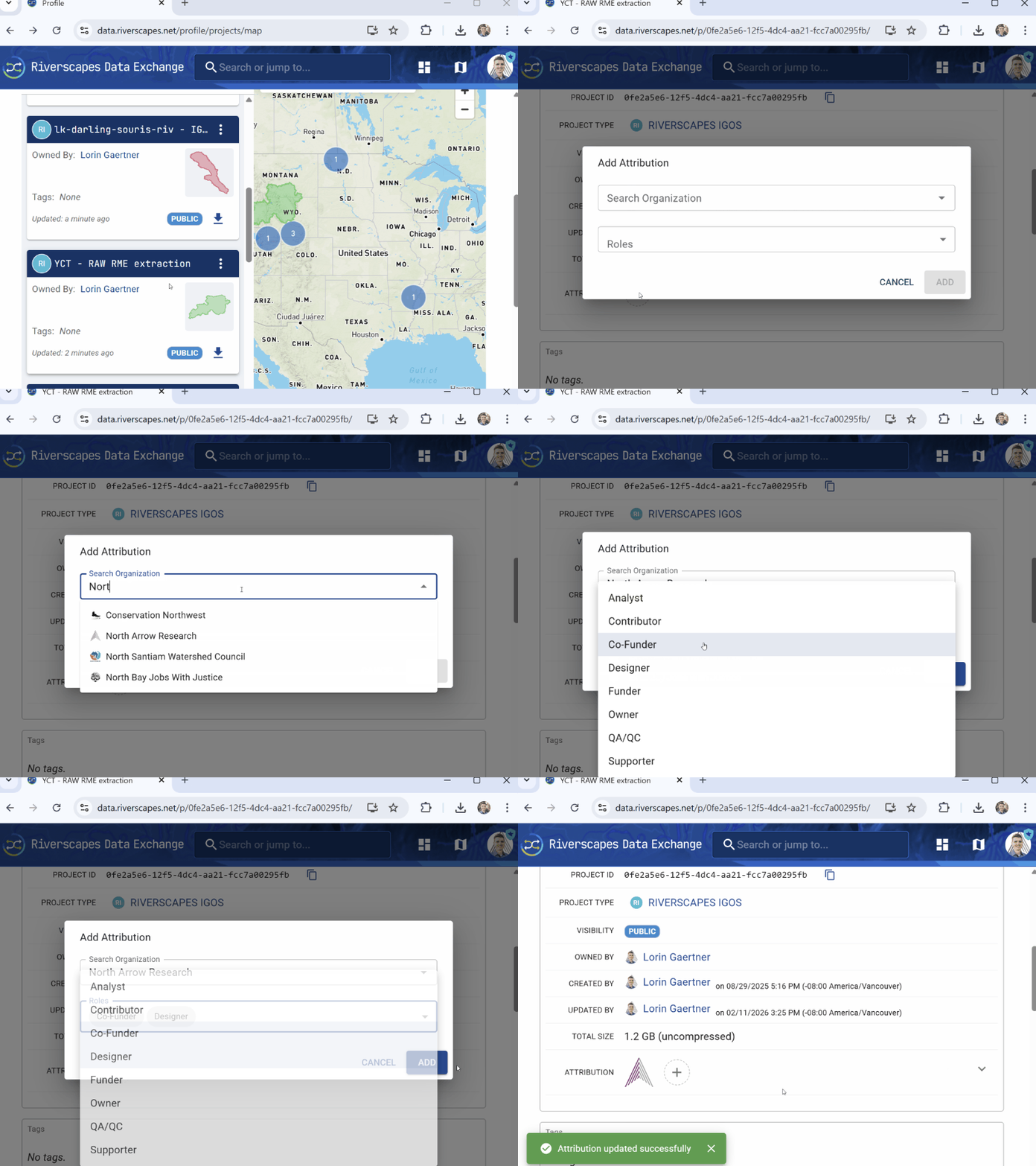
Attributions are edited on the project detail page in the Overview tab, under Basic Properties. Organizations with any role are shown using a thumbnail image by default. This view can be expanded to show the organization name, the roles associated, and editing tools as shown below.

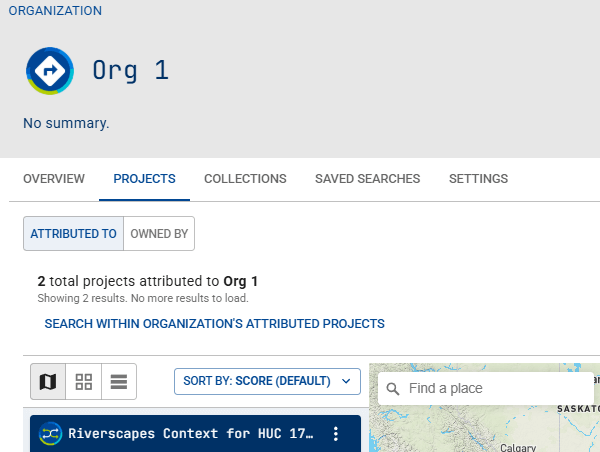
Projects for which an organization has any attributed role are shown on the organization's page, Projects tab, by clicking on the ATTRIBUTED TO button, as shown:
Adding attribution
- The organization must already exist in the data exchange.
- Zero, one or multiple organizations can be attributed to a single project.
- An attributed organization can have one or more roles related to the project.
The organization roles that can be assigned for attribution can be any of the following:
- Analyst
- Contributor
- Co-Funder
- Designer
- Funder
- Owner
- QA/QC
- Supporter
Editing or removing attribution
- On the project detail page in the Overview tab, expand the Attribution section to show the editing tools to change the roles or remove the attribution for an organization.
Bulk attribution
There is no User Interface for bulk assignment of project attribution, but if you would like to add attribution to a large number of existing projects, please contact us (see support options in footer below) with the details and we will be happy to assist you.