Phlux
The Phlux mobile apps for iOS and Android are no longer available in the App Store or Google Play. The Phlux web application remains accessible but is no longer actively supported. Use it at your own risk.
Perhaps the most affordable, and certainly one of the most engaging, approaches to environmental monitoring is repeat photography: capturing images of change over time.
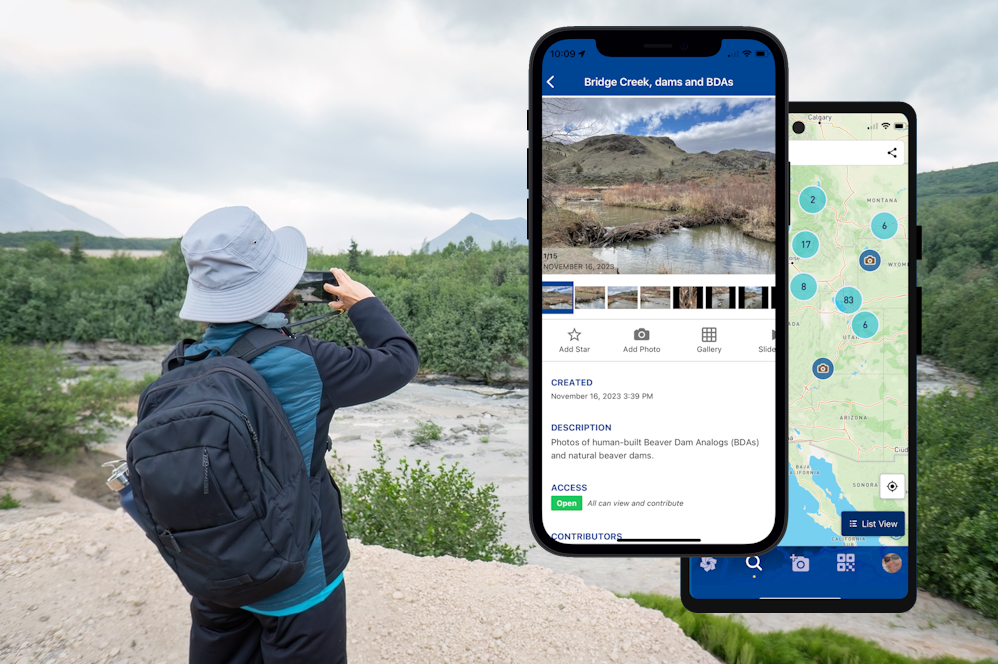
In 2021, North Arrow Research and Utah State University collaborated on a NASA-funded initiative to develop a repeat photography app, primarily to support riverscape monitoring, but more broadly for anyone interested in capturing environmental change. The project ran for four years, and we successfully produced Phlux, an app for Android and iOS capable of capturing photos offline and synchronizing them to the cloud once a device regains service.
The goal was to commercialize Phlux by the end of the NASA-funded project in 2025 and use the revenue for ongoing support. While Phlux was largely successful, challenges with offline functionality caused delays, and the project was not able to fully commercialize the app within the project timeframe.
Is the Phlux App Still Available?
Both the iOS and Android apps have been discontinued. Without additional funding, which was expected to come through commercialization, we have been unable to maintain Phlux and stay to date with the constantly evolving requirements to stay active in these stores. As a result, Phlux as a mobile app is no longer available in either app store.
Phlux on the Web
Phlux is still available as a web application at phlux.riverscapes.net. Given that Phlux was developed with a mobile-first user experience in mind, so some interface elements may feel a little unusual on desktop, but it remains functional.
Can I still Use Phlux?
Yes, you can continue to use the Phlux web application, but please do so at your own risk. The service is no longer actively supported, and we are seeking funding to continue operating it in the future.
How Can I Continue to Use Phlux?
The best way to continue using Phlux is to install the web application on your device. This is different from installing a native app through the iOS or Android app stores. If you already have the mobile app installed then you can continue to use it. Under the hood the mobile and web versions of Phlux all use the same central platform. If you intend to continue using the mobile app, we recommend caution around the offline capabilities. This is the part of the app that caused us the most difficulties and remains fragile.
If you do not currently have the mobile app then we recommend using the web application. The following steps describe a process that installs the web application on your device, which gives much the same look and feel of the mobile application, with some minimal functional differences.
- Open your browser on your mobile device (or desktop) and visit phlux.riverscapes.net. We recommend Chrome, but Safari on iOS devices work too.
- Open your browser menu and select "Install..." or "Save to Desktop...". This installs the website as an app on your device and should add an icon to your home screen.
- Look for the Phlux icon on your device desktop. Open it and sign in.
Using this approach, you can continue uploading photos from your device into new or existing Phlux photo series.
Using the Phlux web application will only ever work while you have data service. The web application will not work offline. Use your device to take photos while offline and then wait until you have regained service to upload the images to Phlux